
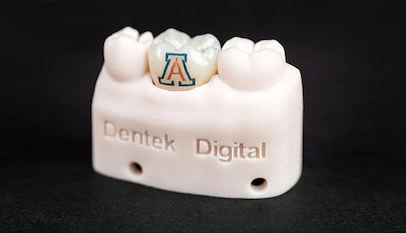
Digital impressions have transformed how dentists capture and share case data. However, even the best intraoral scanners can produce files with scan errors that compromise the final restoration. Understanding these errors is the first step toward fixing them.
At Dentek Digital, we review digital impression files every day from dental practices across the Greater Phoenix area. We see the same issues come up repeatedly. Therefore, we put together this guide to help your team catch problems before they affect your patients.
Whether you work in Scottsdale, Mesa, Chandler, or Gilbert, cleaner scans lead to better-fitting restorations. Additionally, fewer errors mean fewer remakes and faster turnaround times for your practice.
Why Digital Impression Quality Matters
A digital impression is the foundation of every CAD/CAM dentistry restoration we fabricate. If the scan is flawed, the restoration will be too. No amount of skill at the design stage can fully correct a poor-quality file.
Modern intraoral scanners are powerful tools. However, they rely heavily on correct technique and preparation. Because of this, even experienced clinicians can submit files that contain common, avoidable errors.
At our Phoenix lab, we work with practices of all sizes. We see scan issues from high-volume group practices and solo dentists alike. Therefore, this is not a reflection of skill level — it is simply part of working with any evolving technology.
How Scan Errors Reach the Lab
Most scan errors happen chairside and are sent to the lab without review. Many intraoral scanning systems flag obvious issues, but not all problems are easy to see on a small screen. As a result, flawed files move through the workflow undetected.
When our technicians receive a file with scan errors, we do our best to work with what we have. However, some errors require us to request a new scan. This adds time and delays the case for your patient.
The Most Common Scan Errors We See
Below are the most frequent digital impression file problems we encounter at Dentek Digital. Each one affects case accuracy in a different way. Understanding them helps your team prevent them before submission.
1. Incomplete Margin Capture
This is the most common scan error we see. The margin is the edge of the tooth preparation. If it is not fully captured in the scan, the lab cannot design an accurate restoration.
Incomplete margins often result from moisture, tissue interference, or insufficient retraction. Additionally, moving too quickly through the scanning path can leave gaps near the gingival margin. Therefore, take time in the margin area and confirm capture before moving on.
2. Voids and Missing Data
Voids appear as holes or gaps in the scan surface. They occur when the scanner loses tracking or the patient moves. As a result, the digital model has missing sections that cannot be accurately filled in.
Voids near the preparation are especially problematic. Furthermore, voids in the opposing arch or bite registration can affect occlusal design. Always review the full scan for surface gaps before sending the file.
3. Soft Tissue Overlap
When gingival tissue covers part of the preparation, the scanner captures tissue instead of tooth. This is a very common issue with subgingival margins. Moreover, compressed or inflamed tissue can shift and obscure critical areas of the prep.
Proper tissue management is essential before scanning. For example, using retraction cord, paste, or laser recontouring helps expose the margin cleanly. As a result, the scanner captures tooth structure rather than soft tissue.
4. Stitching Errors
Intraoral scanners build a 3D model by stitching together hundreds of individual images. Sometimes this stitching process fails, and surfaces appear doubled, misaligned, or distorted. These are called stitching errors.
Stitching errors often happen when the scanner is moved too quickly or repositioned awkwardly. Additionally, scanning across large edentulous spans can cause alignment failures. Therefore, move the scanner in slow, steady strokes and follow your scanner manufacturer’s recommended path.
5. Bite Registration Problems
An accurate bite scan is critical for proper occlusal adjustment of the final restoration. However, bite registration errors are among the most commonly overlooked scan errors in digital files.
These errors happen when the patient shifts during the bite scan, when the scan does not fully capture both arches in occlusion, or when the bite scan does not align properly with the upper and lower arch scans. Moreover, an incorrect bite leads to restorations that need significant adjustment at delivery. Therefore, verify bite alignment within your scanner software before submitting.
6. Excessive Noise and Artifact
Scan noise refers to unwanted surface data that appears as rough, spiky, or irregular textures on the digital model. Moisture, saliva, blood, and scanning spray can all introduce noise into the file. As a result, the model surface looks inaccurate and can mislead the design software.
Keep the field dry and clean throughout the scan. Additionally, use adequate lighting and air to remove excess moisture from the tooth and surrounding tissue. This simple step significantly improves scan quality.
How to Reduce Scan Errors in Your Practice
Preventing scan errors starts with consistent technique and preparation. Here are practical steps your team can take to improve digital impression quality from the very first scan.
- Isolate the field thoroughly. Use rubber dam, retraction cord, or hemostatic agents to keep tissue and moisture away from the prep.
- Review the scan before sending. Most intraoral scanners include a review mode. Use it to check margins, surfaces, and bite alignment.
- Move slowly and deliberately. Rushing the scanner increases the risk of stitching errors and voids.
- Follow manufacturer protocols. Each scanner brand has a recommended scanning path. Consistent technique reduces errors across the board.
- Retake rather than patch. If a critical area looks wrong, rescan the segment. A clean rescan is better than a patched file with lingering inaccuracies.
- Train the whole team. Consistent results come from consistent training. Make sure every team member who handles the scanner knows these best practices.
Practices in areas like Gilbert and Tempe that invest in regular scanner training see measurable improvements in their case acceptance rates and fewer remake requests. Therefore, ongoing education pays off quickly.
If your team wants a second set of eyes on your scanning workflow, contact Dentek Digital and let us help you identify where your files can improve.
What Happens When We Receive a Flawed File
Our technicians at Dentek Digital carefully evaluate every file we receive. First, we assess whether the file is workable or needs to be returned for a new scan. Then, we communicate quickly so your practice is not left waiting.
In some cases, minor issues can be addressed with design software tools. However, significant scan errors — especially at the margin or in the bite registration — require a new impression. We will always let you know what we found and why a rescan is needed.
We understand that rescans take chair time and delay cases. Because of this, we provide feedback whenever we return a file so your team knows exactly what to improve. Our goal is to support your success, not just fabricate restorations.
Scan Errors and Specific Restoration Types
Not all restorations are equally sensitive to scan errors. Some require exceptional accuracy. Here is a quick breakdown.
Crowns and Bridges
Single crowns can tolerate minor scan imperfections in areas away from the margin. However, multi-unit bridges are much more sensitive. Even small errors in span alignment can cause a bridge to rock or not seat fully. Therefore, bridge scans deserve extra care and review.
Implant Restorations
Implant scans require precise scan body capture and positioning. Scan errors involving the scan body can lead to restorations that do not interface correctly with the implant. As a result, implant cases often need the highest level of scanning precision. Practices in Chandler and Scottsdale that send us implant cases know how critical this step is.
Nightguards and Splints
For splints and nightguards, the bite scan and full arch accuracy are especially important. Moreover, any distortion in the arch can lead to a device that fits poorly and causes patient discomfort. Therefore, do not rush the full arch scan on these cases.
Frequently Asked Questions About Scan Errors
What is a scan error in a digital impression?
A scan error is any inaccuracy, gap, distortion, or artifact in a digital impression file. Common types include voids, stitching errors, incomplete margins, and bite misregistration. These errors can affect how well a restoration fits and functions.
Can the lab fix scan errors on its end?
Minor surface noise or small peripheral voids can sometimes be managed at the design stage. However, critical areas like the margin or bite registration cannot be reliably corrected without a new scan. We always prioritize accuracy over shortcuts.
How do I know if my scan has errors before sending it?
Use your scanner’s built-in review tools to inspect the margin, surface quality, and bite alignment. Look for gaps, rough patches, doubled surfaces, or tissue overlap. Additionally, many scanner systems highlight problem areas automatically. Do not skip the review step.
How long does a rescan delay my case?
It depends on how quickly your team can rescan the patient and resubmit the file. In most cases, a rescan adds one to two days to the turnaround. Therefore, catching errors before submission always saves time overall.
Does Dentek Digital accept all intraoral scanner formats?
We work with a wide range of digital file formats from leading intraoral scanner brands. If you are unsure whether your scanner is compatible, reach out to our team before submitting your first case. We are happy to walk you through the process.
Partner With a Lab That Understands Digital Dentistry
Dentek Digital has been a leader in digital dentistry since the early days of CAD/CAM workflows. We have worked with dental practices across Phoenix, Mesa, Scottsdale, Chandler, Gilbert, and Tempe. Our team understands the full digital workflow from scan to seat.
When you partner with us, you get more than a fabrication lab. You get a team invested in your clinical success. We review your files with care, communicate clearly when issues arise, and provide feedback that helps your practice improve over time.
Ready to experience the difference? Send us a case today and see how Dentek Digital supports better outcomes for your patients — one precise restoration at a time.